
Many retailers struggle to make that case consistently. A window can look beautiful and still fail to draw feet inside, or it can be so packed with products that shoppers can't tell what's actually for sale. The best displays balance creative storytelling with practical merchandising: highlighting priority products, communicating a campaign, and giving passersby a preview of the brand experience waiting inside.
This guide covers what window display design actually means, the seven display formats retailers use most, creative ideas by category, core design principles, and how to choose, build, and measure a display that earns its keep.
Key Takeaways
- Let storefront geometry, viewing angles, product size, and refresh cadence drive format—not trends alone
- One clear focal point with generous negative space beats a window crowded with products and props
- Modular, reconfigurable fixtures speed campaign refreshes and keep multi-location displays consistent
- Pair visual feedback with metrics like store entries and featured-product sales to see what works
What Is Window Display Design?
Window display design is the deliberate planning of a storefront-facing presentation. It combines products, fixtures, graphics, props, lighting, color, composition, and messaging into a single cohesive statement.
Window display design is not the same as visual merchandising as a whole. Visual merchandising covers the entire in-store customer journey, from entrance to checkout. The window is narrower in scope: it's the exterior-facing element tasked with introducing the brand and the current campaign before a shopper ever crosses the threshold.
Why Design Choices Change Shopper Behavior
Window displays shape perception before a shopper ever steps inside. Research published in the Journal of Retailing and Consumer Services found that store-window displays measurably influence entry decisions and shape how shoppers perceive a brand's image, though effectiveness depends heavily on shopping motive and mental load rather than visual style alone (Oh and Petrie, 2012).
A Saturday browser needs invitation and story; a hurried errand-runner needs a clear product cue and a fast reason to enter.
Before any concepts get sketched, a design brief should lock in:
- Target customer and campaign objective
- Featured products and priority order
- Storefront dimensions and sightlines
- Lighting conditions (day and night)
- Installation constraints and access
- Refresh schedule and who owns it
Without it, concepts stall at install: wrong sightlines, unworkable access, or a refresh plan no one owns.
Types of Retail Window Displays
Most retail windows fall into one of seven formats. No single format wins every scenario. Each solves a different mix of storefront geometry, product type, and brand goal. Many retailers mix formats across locations or even within a single storefront.

Open Window Displays
Open windows have no full backdrop, so passersby see straight through the display into the store. That means the installation has to look finished from both the street and the sales floor.
This format suits lifestyle-led apparel, sportswear, and experiential retailers where the interior atmosphere is part of the pitch. Practical notes:
- Conceal cabling and hardware from both viewing angles
- Finish the reverse side of props and fixtures properly
- Keep the interior tidy since it's now part of the display
- Avoid letting window and store visually compete for attention
Closed Window Displays
A full backdrop turns the window into a controlled stage. Light, color, and composition can be tightly managed without the store interior bleeding into the scene.
Closed windows work well for luxury, seasonal, or theatrical campaigns that need clean separation from what's happening inside.
Watch for:
- Lighting glare against the backdrop
- Adequate depth so the display doesn't feel boxed in
- Maintenance access that doesn't require a full teardown
Semi-Closed Window Displays
This hybrid uses partial walls, screens, slats, or panels to frame the display while still allowing a glimpse into the store. It's a common choice for boutiques that want visual control without cutting themselves off from the sales floor entirely.
Two-sided finishing matters here, since both the panel and the space behind it are visible. Modular partitions that can shift position make it easier to update the look between campaigns.
Elevated Window Displays
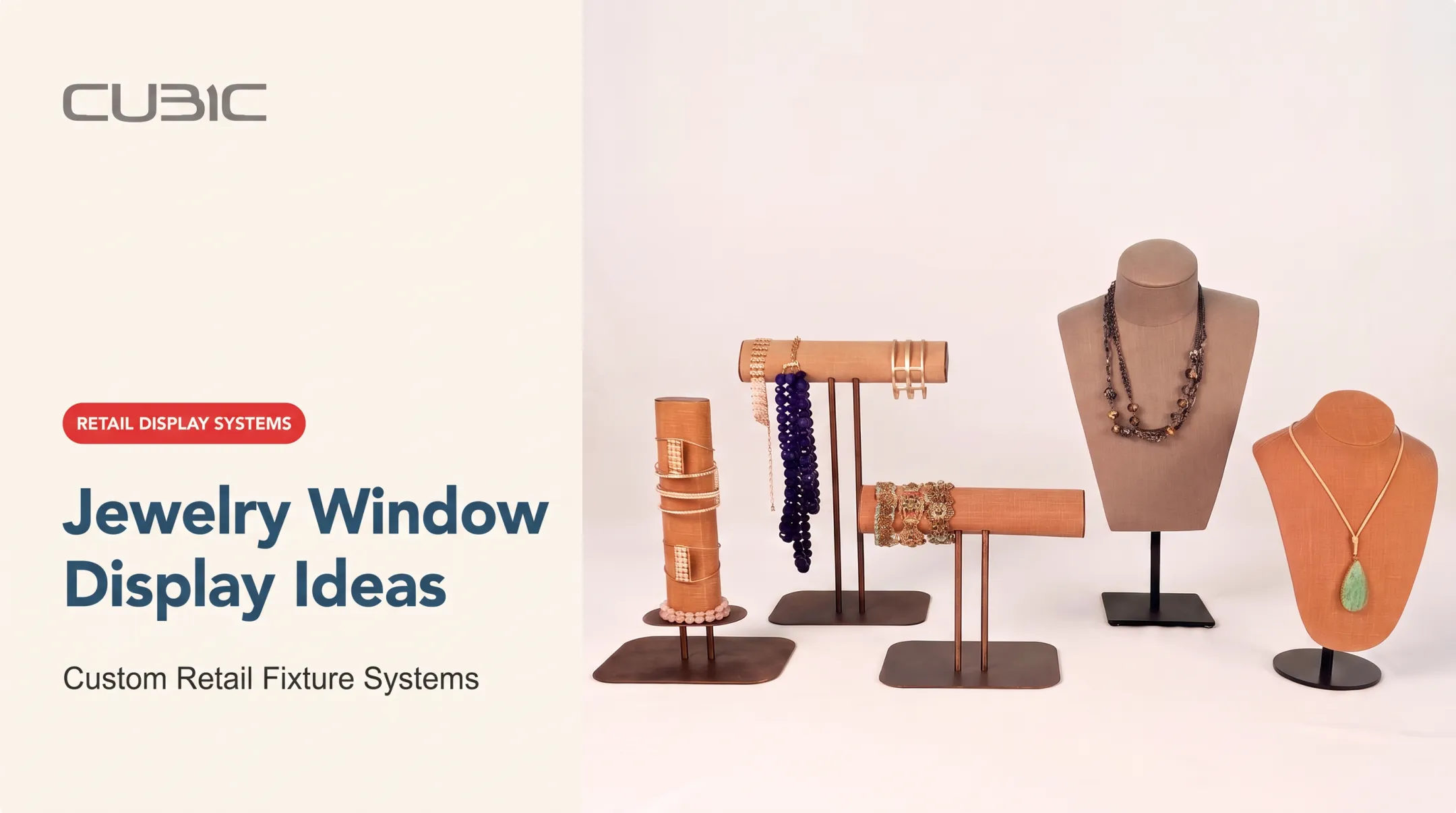
Plinths, podiums, risers, and tiered platforms lift smaller or higher-value products toward eye level, adding depth to an otherwise flat composition. This format is a natural fit for jewelry, watches, cosmetics, and accessories, or any single hero product that deserves focused attention.
Key considerations:
- Secure mounting and platform stability
- Varied heights to create visual rhythm
- Accent lighting on each tier
- Keeping platforms visually connected to the rest of the window
Corner Window Displays
Corner windows wrap around two street-facing elevations, meaning the display has to work from multiple pedestrian approaches at once. That calls for three-dimensional composition rather than a flat, front-facing arrangement.
Lighting and graphics need to stay coordinated across both sides, and sightlines should be checked from each approach angle before installation. This format tends to suit flagship stores or high-visibility sites showcasing full collections or sculptural elements.
Island Window Displays
Island displays are freestanding and viewable from all sides, common in department stores, malls, atriums, airports, and pop-up environments. Because there's no "back" to hide behind, every surface needs finished detailing and concealed structural support.
Key considerations:
- Base stability and public-safety clearance above other formats
- Straightforward access for cleaning
- Circular, radial, or multi-level layouts that hold a focal point without blocking traffic
Shadowbox Window Displays
Shadowboxes are compact, enclosed niches built for a single product or a small, tightly curated collection. Their scale makes them ideal for jewelry, watches, fragrance, and eyewear, where close-up detail and controlled lighting carry the whole story.
Retailers like Birkenstock have used shadowbox fixturing to give individual products this kind of focused staging.
Because the space is tight, tolerances matter:
- Watch for glare and reflections against the glass
- Integrate lighting into the box instead of relying on ambient spill
- Resist adding "just one more piece"
Comparing the Seven Formats
| Format | Best for | Strongest advantage |
|---|---|---|
| Open | Lifestyle, sportswear | Openness and store connection |
| Closed | Luxury, seasonal campaigns | Staging control |
| Semi-closed | Boutiques | Balance of control and access |
| Elevated | Jewelry, cosmetics | Product intimacy and depth |
| Corner | Flagship stores | Multi-angle visibility |
| Island | Malls, atriums | 360-degree presence |
| Shadowbox | Fine jewelry, fragrance | Focused, controlled detail |
Creative Retail Window Display Ideas
Format is the structure; the idea is what actually stops someone on the sidewalk. A few reliable directions:
Seasonal and Occasion-Based Storytelling
Tie concepts to holidays, launches, or cultural moments, but keep the product in the spotlight rather than burying it under generic decor.
NRF projects holiday retail spending will surpass $1 trillion in 2025, with the season running November through December (NRF, 2025). That figure is a strong case for treating seasonal windows as a priority, not an afterthought.
Express the season through color, texture, and lighting choices, not just props layered on top of the merchandise.
Lifestyle Scenes and Complete Product Stories
Stage products in a realistic context so shoppers can picture using them. An apparel window with mannequins dressed for a specific occasion, or a home goods window styled like a lived-in room, does more work than products floating in isolation. Cross-merchandise complementary items, but keep one clear hero product or message.
Color-Led and Minimalist Displays
Monochromatic arrangements, color blocking, and restrained compositions read from a distance and photograph well. Used well, negative space makes a handful of products look intentional rather than sparse.
Interactive and Connected Windows
QR codes, scan-to-shop journeys, and motion elements can invite interaction, but they need one obvious action. Retailers have used QR codes on window glass to drive customers to a website or a mobile checkout flow, though adoption has been mixed and consumer education remains a real barrier. Whatever you choose:
- Make the call-to-action unmistakable
- Provide backup messaging for shoppers who won't scan anything
- Confirm the tech supports the story instead of distracting from it
Product and Brand Storytelling
Founder stories, materials, craftsmanship, and sustainability themes can set a retailer apart quickly. Keep copy short and legible, and place it so it clarifies the story without competing with the visual focal point.
Reconfigurable, Multi-Location Concepts
A strong creative idea should survive translation across formats (open, closed, corner, or island) without losing brand consistency. This is where modular fixture systems earn their keep. CUBIC's modular hardware and custom modular accessories let a creative team hand off a concept and have manufacturing turn it into a working system. The same components reconfigure for a deep closed window or a narrow open one, so teams are not rebuilding from scratch at every location.

These ideas play out differently by category:
- Jewelry brands lean on shadowbox intimacy
- Grocery and specialty markets lean on shelf-based abundance
- Hospitality retail often blends clothing, accessories, and gifting into one scene, including mixed lifestyle displays in hotel lobbies
Window Display Design Principles and Practical Execution
Good ideas fall flat without disciplined execution. A few principles separate windows that work from ones that just look busy.
Establish One Clear Focal Point
Visual hierarchy should guide the eye from the primary product to supporting elements, then to the brand or call-to-action. Limit competing messages and product groupings so the concept reads clearly during a brief pass-by, not a lingering stare.
Use Composition, Scale, Contrast, and Negative Space
Symmetry, repetition, and scale variation create movement and direct attention. Negative space keeps the window legible, which matters even more when shoppers are viewing it through reflective glass.
Design Lighting for Day and Night
Lighting has to work under two completely different conditions. The ConTech Lighting Design Guide recommends strong accent light on merchandise in daylight, with low ambient light and stronger accents after dark, so the window stays brighter than its surroundings at any hour.
That guide favors contrast over simply cranking up brightness, and recommends glare-reducing fixtures to limit reflections. Test lighting from the pedestrian sightline, not only from inside the store.

Coordinate Products, Fixtures, Graphics, and Finishes
Shelves, racks, plinths, signage, and props all need to support the same story and the same product priority. CUBIC designs hardware that recedes into the background so the product stays the focus instead of competing with the fixture. Finishes should survive repeated handling, not just look right on day one.
Design for Accessibility, Maintenance, and Safety
A few non-negotiables:
- Readable messaging and unobstructed views
- Safe mounting and stable freestanding elements
- Manageable cleaning and lighting-service access
- Concealed cabling
Federal ADA Standards for Accessible Design cover protruding objects and circulation clearances. Those rules can apply when a window fixture, base, or cord extends into a walkway or affects an entrance. Confirm locally adopted fire, electrical, and building requirements with the authority having jurisdiction before installation—rules vary by city and property.
Pre-Installation Checklist
- Confirm storefront measurements and sightline drawings
- Run lighting tests from the pedestrian viewpoint
- Verify product availability against the display plan
- Review installation access and timing
- Assign maintenance ownership
- Approve a physical or digital mock-up before production
How to Choose, Build, Refresh, and Measure a Retail Window Display
Match the Format to the Retail Environment
Start with storefront size, whether the architecture is open or enclosed, how many directions people view it from, pedestrian distance, and product dimensions. A luxury jewelry counter probably needs a shadowbox or elevated setup. An apparel store, on the other hand, often benefits from an open or semi-closed arrangement with fixtures flexible enough to shift between floor sets.
Plan for Refresh Cycles and Inventory Realities
Align the display calendar with product launches, seasonal campaigns, and realistic installation labor, not just a marketing wish list. Modular components make this easier: crossbar systems, for instance, let a single fixture display long dresses in summer and short wool sweaters in winter just by adjusting heights, rather than rebuilding the whole unit each season.
Design for Repeatability Across Multiple Stores
Multi-location retailers need a standardized toolkit: approved dimensions, materials, graphics, fixture components, and installation instructions, with clear rules for what local teams can adapt. CUBIC's store rollout program coordinates design, manufacturing, logistics, and execution so a campaign stays consistent whether it rolls out to five stores or five hundred.

Build Durability and Sustainability Into the Brief
Before production starts, weigh longevity, repairability, material choices, and end-of-campaign storage. Reusable modular structures, ones that can be reconfigured for the next campaign using the same core components, reduce both waste and rebuild costs over time. CUBIC manufactures under policies aimed at keeping products free of many toxic substances across its domestic and overseas facilities—ask about those standards when sustainability is part of your brief.
Measure and Improve Performance
Track what you can reliably measure:
- Store entries before and after installation
- Sales of featured products
- Dwell time and QR scans, where applicable
- Social engagement and customer feedback
Academic research supports transparency and openness as attractiveness drivers, with caveats. One virtual-reality study found highly transparent windows earned higher attractiveness ratings and longer observation time, yet showed no measurable difference in actual approach behavior (Kalantari et al., 2022).
Real-world results still depend on weather, concurrent promotions, and staffing. Isolate one variable at a time—layout, lighting, or product mix—to learn what is actually driving change.
Action sequence:
- Define the objective
- Select the format
- Develop the story
- Test sightlines and lighting
- Confirm production requirements
- Install safely
- Refresh on schedule
- Review results
Frequently Asked Questions
What are the different types of window displays used in retail stores?
The seven common formats are open, closed, semi-closed, elevated, corner, island, and shadowbox displays. Each serves different sightline, space, product, and storytelling needs, so most retailers select or combine formats based on their storefront.
What are some creative window display ideas for retail stores?
Strong options include seasonal storytelling, lifestyle scenes, color-led or minimalist arrangements, interactive features like QR codes, and product or brand narratives. Cross-merchandising complementary items around one hero product also works well.
What is the best window display for retail?
There's no single best format. The right choice depends on store architecture, product type, viewing distance, brand positioning, security needs, budget, and how often you plan to refresh the display.
What are some window display trends?
Current trends include modular and adaptable fixture systems, sustainable or reused materials, immersive storytelling, connected windows with mobile elements, bold color blocking, and lighting designed to perform equally well by day and night.
What is window display design?
It's the planned use of products, fixtures, props, graphics, lighting, composition, and messaging to communicate a retail brand's story and encourage passersby to enter or engage.
What are retail displays called?
Common terms include window displays, storefront displays, visual merchandising displays, point-of-purchase displays, product displays, and branded environments. Terminology often varies by retailer, location, and purpose.